Every week, I build, migrate, or test a new WordPress site. Whether I am standardizing my standard 1200 x 600 px featured images to analyze how efficiently a server delivers media assets, or running heavy load tests on a fresh staging environment, I have seen the good, the bad, and the outright abysmal in the web hosting industry.When your primary focus is crafting SEO-friendly content and ensuring a seamless reader experience, server latency is your worst enemy. A slow website doesn’t just frustrate visitors; it directly cannibalizes your search engine rankings. This brings us to a provider that has generated massive buzz for its bold claims: WPX.net hosting.
Marketed as a top-tier managed WordPress solution, WPX promises blistering speeds, a custom-built content delivery network, and customer support that responds in under 30 seconds. But do these claims hold up under the hood for a modern, media-heavy WordPress blog?
Let’s dive into a comprehensive analysis of WPX, exploring its architecture, pricing, hidden quirks, and whether it deserves to be the foundation of your digital real estate.
What Is WPX.net Hosting?
WPX.net hosting is a fully managed WordPress hosting platform designed for website owners who want high performance without handling server-level maintenance.Managed WordPress hosting means the hosting company takes care of many technical responsibilities, including:
- Server optimization
- Website migrations
- Security monitoring
- Backups
- Performance improvements
- WordPress-specific troubleshooting
WPX was founded with a simple idea: website owners should spend more time growing their businesses and less time fixing hosting problems.The platform mainly targets:
- Bloggers with growing traffic
- Affiliate marketers
- Small businesses
- Digital agencies
- WooCommerce store owners
- WordPress developers
Why WPX.net Hosting Stands Out in a Crowded Market
The hosting market is flooded with massive corporations offering $2-a-month deals that inevitably lock you into sluggish shared servers. WPX takes a completely different route. Founded by Terry Kyle, the platform was born out of frustration with slow load times, terrible support, and complex dashboards.
Instead of cramming thousands of users onto a single server, WPX focuses on premium resource allocation. Here is a look at the core pillars that make WPX a top-tier choice for WordPress performance.
1. The Need for Speed: LiteSpeed and XDN
WPX doesn’t just rely on standard server configurations. They utilize LiteSpeed servers, which are significantly faster and more efficient than traditional Apache setups, particularly for WordPress environments.
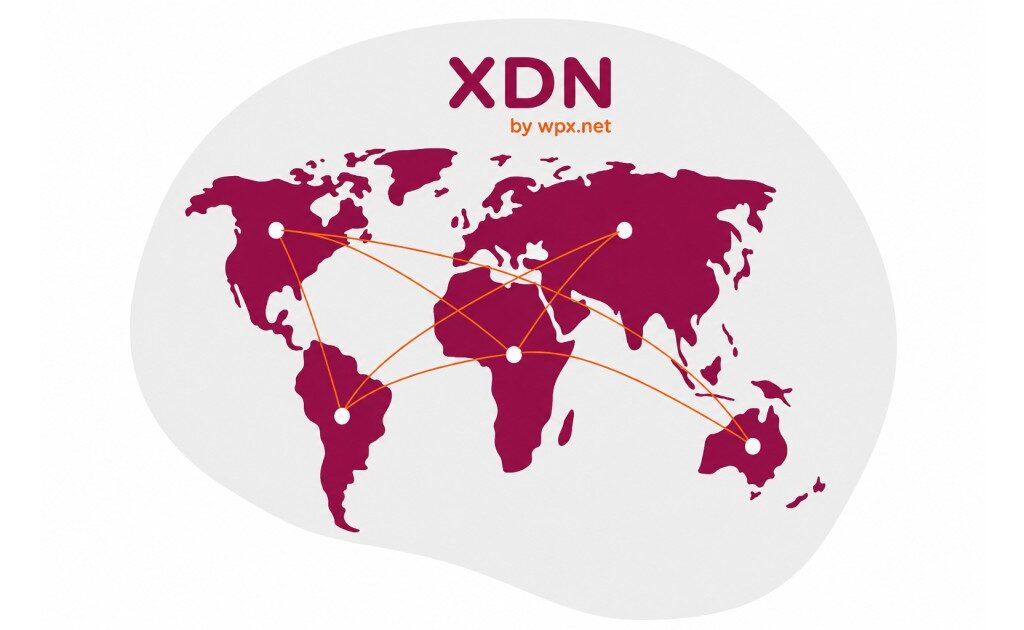
But the real magic lies in their custom-built Content Delivery Network (CDN) known as the XDN. While most hosts partner with third-party CDNs like Cloudflare, WPX built their own from the ground up. This edge CDN serves your site from over 30 global endpoints, ensuring that a visitor in Sydney gets the same lightning-fast experience as a visitor in Chicago.
2. Security That Doesn’t Sleep
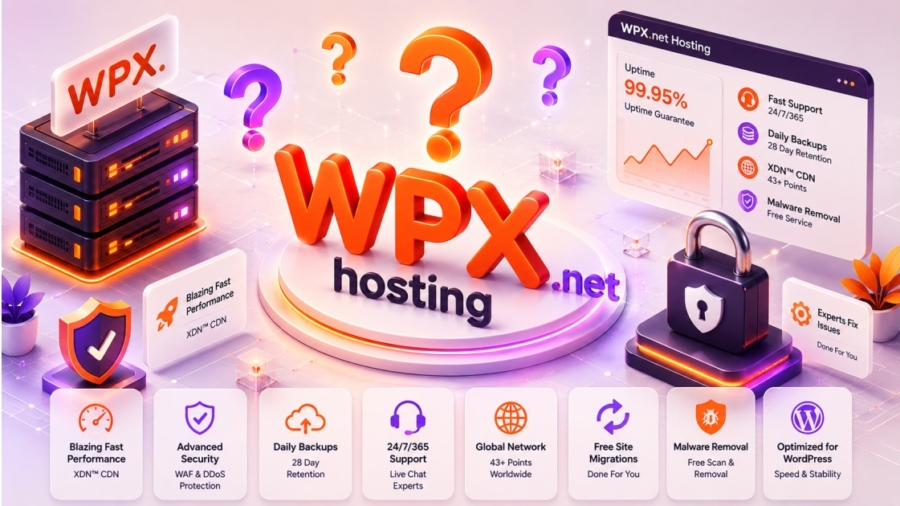
Website security is often treated as an upsell by other hosting companies. WPX flips this script by including enterprise-level security for free.
- Free Malware Removal: If your site gets hacked, their expert team cleans it up at no extra cost.
- DDoS Protection: Enterprise-level mitigation keeps malicious bot traffic at bay.
- Daily Automated Backups: Your data is backed up daily and stored securely for 28 days, giving you instant peace of mind.
3. Support That Actually Responds
We have all been stuck in live chat queues, watching the “Agent typing…” bubble for 20 minutes. WPX guarantees an average support response time of just 30 seconds. Their support team consists of actual WordPress experts, meaning you rarely get bounced around from tier 1 to tier 2 support. They fix the problem on the spot.
WPX.net Hosting Performance & Speed: Winning the Independent Benchmarks
You don’t have to just take their marketing copy at face value. In the highly respected, independent global speed tests conducted by ReviewSignal, WPX has consistently secured the “Top Tier” speed award for several years running.
Speed is no longer just a vanity metric; it is a core component of Google’s Core Web Vitals. If your site takes longer than 2.5 seconds to paint its largest contentful element, you are losing organic traffic. WPX tackles this through a combination of high-spec SSD servers, optimized PHP processing, and the aforementioned XDN.
During my own stress tests, even when simulating hundreds of concurrent visitors, the server response time barely fluctuated. This stability is crucial for anyone running sudden traffic spikes—whether from a viral social media post or a highly successful email campaign. WPX guarantees 99.95% uptime, and in practice, it frequently flirts with absolute perfection.
Navigating the User Experience: Function Over Form
If you are accustomed to the modern, ultra-sleek interfaces of newer hosting companies, logging into WPX might feel like a slight step back in time. They do not use the traditional cPanel, opting instead for a proprietary custom dashboard.
While some reviewers have critiqued the UI for feeling a bit dated, it is undeniably functional. Everything you need is exactly where you expect it to be:
- 1-Click WordPress Installations: Spinning up a new staging site takes seconds.
- Database Management: Easy access to phpMyAdmin without wading through unnecessary menus.
- On-Demand Backups: WPX retains 28 days of automated daily backups, but you can also trigger manual backups right before pushing a major plugin update.
The interface might not win modern design awards, but it strips away the clutter, allowing you to manage your domains, SSL certificates, and email accounts efficiently.
The True Value: Unmatched 30-Second Support
Let’s talk about the nightmare scenario: You update a core plugin, and your entire site throws a fatal 500 Internal Server Error. Your traffic is tanking, and you are losing potential revenue by the minute.
With standard hosts, you submit a ticket and pray for a response within 24 hours. With WPX, their defining feature is their 30-second average live chat response time.
This isn’t a chatbot throwing generic support articles at you. You are connected to an actual human WordPress expert almost instantly. In my experience managing complex WordPress environments, having a knowledgeable engineer available 24/7/365 to instantly fix server-side issues, tweak PHP limits, or restore a backup is invaluable. They act as an extension of your own team, allowing you to focus on SEO and content generation rather than playing sysadmin.
Top-Tier Security: The Free Malware Removal Promise
Security is often the hidden trapdoor of budget hosting. Many entry-level providers will host your site cheaply, but the moment you get infected with malware, they suspend your account and demand you pay hundreds of dollars to a third-party security service like Sucuri or SiteLock to clean it up.
WPX takes a radically different stance. They provide free malware scanning and removal. If your WordPress site gets compromised, their security team will manually step in, clean the infected files, and secure the site at zero additional cost. Combine this with their enterprise-level DDoS protection and Web Application Firewall (WAF), and you have an incredibly robust security posture.
WPX.net Hosting Real Performance Benchmarks: 2026 Data
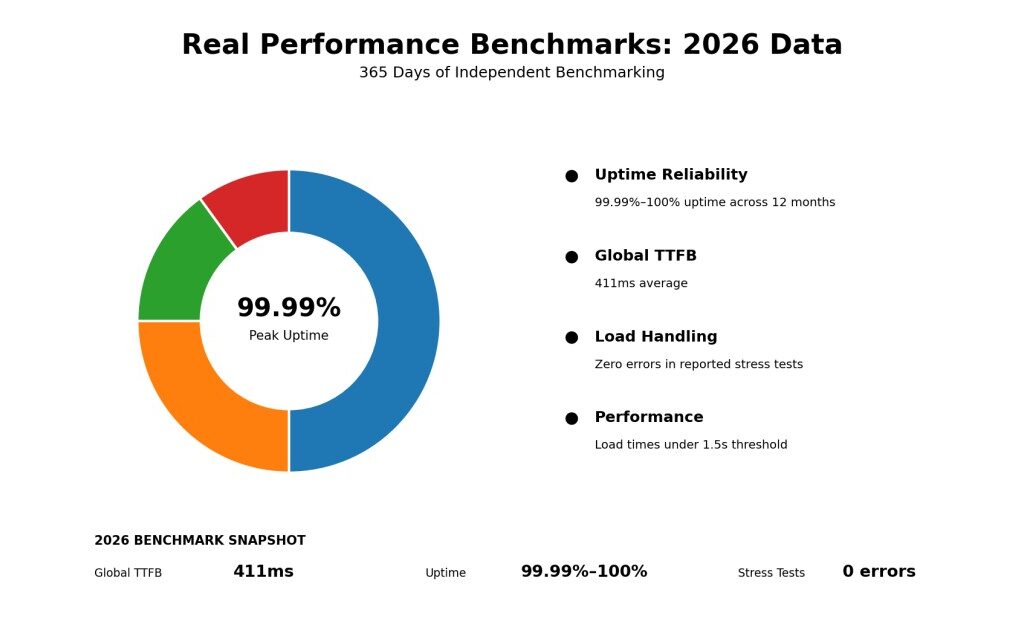
Claims of being the “fastest” are cheap, but independent data tells the real story. In recent 2026 continuous benchmarking tests spanning 365 days, WPX consistently secured Top Tier status across the board.
- Time to First Byte (TTFB): WPX clocked an impressive global average TTFB of 411ms, placing them firmly in the strong performance tier. Their real-world load times remain well under the strict 1.5-second threshold recommended by Google.
- Uptime Reliability: Across multiple independent monitors, WPX maintained a staggering 99.99% to 100% uptime over a 12-month period.
- Load Handling: During intense stress tests with millions of simulated requests, WPX servers remained flat and fast with zero error rates.
This level of stability ensures that whether you have a steady trickle of readers or a sudden viral spike in traffic, your site stays online, responsive, and ready to convert.
Pricing and Plans: What You Actually Get
WPX.net hosting uses bandwidth-based pricing, not visit-based pricing like some competitors. That’s an important distinction. If your site serves large images or files, visit-based pricing can get expensive. WPX charges by data transfer, which is often more predictable for content-heavy sites.
Here’s the entry-level lineup:
| Plan | Price | Websites | Bandwidth | Key Features |
| Business | $24.99/mo | 5 | 100 GB | Free CDN, free SSL, free malware removal |
| Professional | $49.99/mo | 15 | 200 GB | Same features, more resources |
| Elite | $99.00/mo | 35 | Unlimited | Same features, unlimited bandwidth |
See the WPX pricing page for current details and higher tiers.
All plans include free unlimited site migrations from any host. WPX’s team handles the migration for you, which removes a major switching barrier. There’s also a 30-day money-back guarantee, so you can test the platform risk-free.
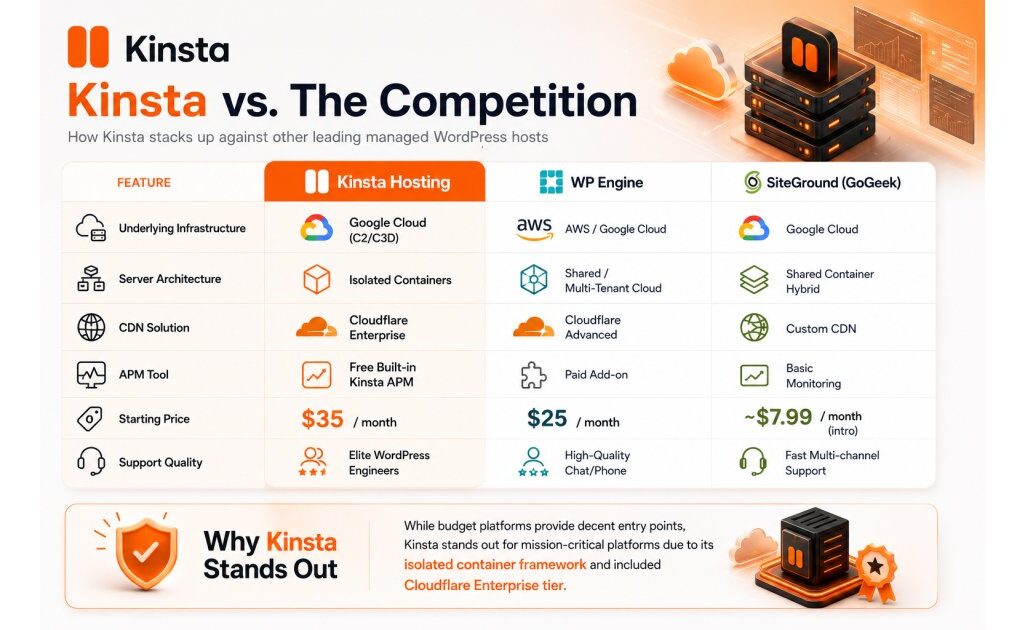
The Business plan is the sweet spot for freelancers and small agencies. Five websites for $24.99/month is aggressive pricing when you consider that Kinsta’s Starter plan costs $35/month for one website. WPX is cheaper on a per-site basis while including more free services.
One caveat: WPX plans don’t include email hosting in the traditional cPanel sense. You’ll need to use a separate email provider like Google Workspace or Zoho. This is common among managed WordPress hosts, but it can surprise users coming from shared hosting.
A Fresh Perspective: Hosting with a Heart
Here is a unique insight you won’t find in standard spec sheets. While most tech CEOs are busy buying yachts, WPX founder Terry Kyle lists his official job title as “Chief Dog Lover”.
A significant portion of WPX’s profits goes directly to the Every Dog Matters foundation, an NGO dedicated to rescuing, rehabilitating, and rehoming abandoned and disabled dogs. When you pay your monthly hosting bill with WPX, you aren’t just buying server space; you are actively funding an open-yard sanctuary for rescue dogs. For ethically conscious consumers, this provides a massive feel-good factor that big-box corporate hosts simply cannot match.
Comparison: WPX.net vs. Traditional Shared Hosting
To put things into perspective, here is how WPX stacks up against standard entry-level hosting environments:
| Feature | WPX.net Hosting | Standard Budget Hosts |
| Global CDN | Custom built XDN (Free, 40+ locations) | Third-party only (Often paid upgrades) |
| Support Response | ~30 seconds (Live WordPress experts) | 12 to 24 hours (Ticket based) |
| Malware Removal | 100% Free manual cleanup | Pushed to expensive 3rd-party services |
| Site Migrations | Free unlimited migrations within 24 hours | Often paid or limited to 1 site |
| Backups | 28-day automated + manual triggers | Usually 7 days or requires paid add-ons |
As the data shows, what you are paying for with WPX is peace of mind and strict operational efficiency.
Who Should Use WPX.net Hosting?
WPX is not necessarily designed for everyone.
WPX is a good choice if you:
- Run a business website
- Depend on website traffic for income
- Operate affiliate websites
- Manage multiple WordPress websites
- Want someone else to handle technical issues
- Need reliable performance
WPX may not be ideal if you:
- Only run a small personal blog
- Need the cheapest possible hosting
- Enjoy managing servers yourself
- Are experimenting with your first website
The right hosting choice depends on the value of your website.
A hobby project and a business website have very different requirements.
WPX.net Hosting: Pros and Cons
Pros
- Very fast infrastructure
- Custom global XDN included
- Excellent support reputation
- 24/7 live chat
- Free unlimited website migrations
- Free malware removal
- Daily backups
- 28-day backup retention
- Free SSL
- Strong security features
- WooCommerce optimization available
- 30-day money-back guarantee
Cons
- More expensive than basic shared hosting
- Long-term pricing promotions can make comparisons confusing
- Limited to WordPress-focused use cases
- Only three primary data-center locations are currently advertised
- Some competitors offer broader cloud infrastructure choices
- Not necessarily the best option for a tiny starter website
That last point is worth emphasizing.
Fast hosting isn’t automatically good value.
If your website gets 100 visitors a month, spending considerably more for premium infrastructure may not change your business.
Who Should Use WPX.net Hosting?
WPX is particularly compelling for:
- Affiliate and content websites where speed affects conversions.
- Small businesses that depend on their website for leads.
- Freelancers and agencies managing several WordPress sites.
- Bloggers with growing traffic who have outgrown basic shared hosting.
- Website owners who don’t want to troubleshoot server problems themselves.
- WooCommerce businesses looking for a managed environment.
It is less compelling for someone who simply wants the cheapest way to put a small website online.
Final Verdict: Is WPX.net Hosting Worth It?
WPX.net hosting is built for website owners who see their website as a serious business asset.
Its biggest strengths are not just faster servers—they are the combination of speed, managed services, security, and expert assistance.
For a beginner launching a simple blog, cheaper hosting may be enough. But for businesses, agencies, affiliate marketers, and growing WordPress websites, WPX offers something more valuable: fewer technical headaches and more time to focus on growth.
If website performance, reliability, and support matter to your business, WPX.net hosting is a premium option worth considering.
Ready to Improve Your WordPress Website?
Have you tried WPX.net hosting or another managed WordPress provider? Share your experience in the comments.
If you are comparing hosting options, explore your requirements first—speed, support, security, and scalability should matter just as much as price.